
 See Our Latest Article on HelloNation
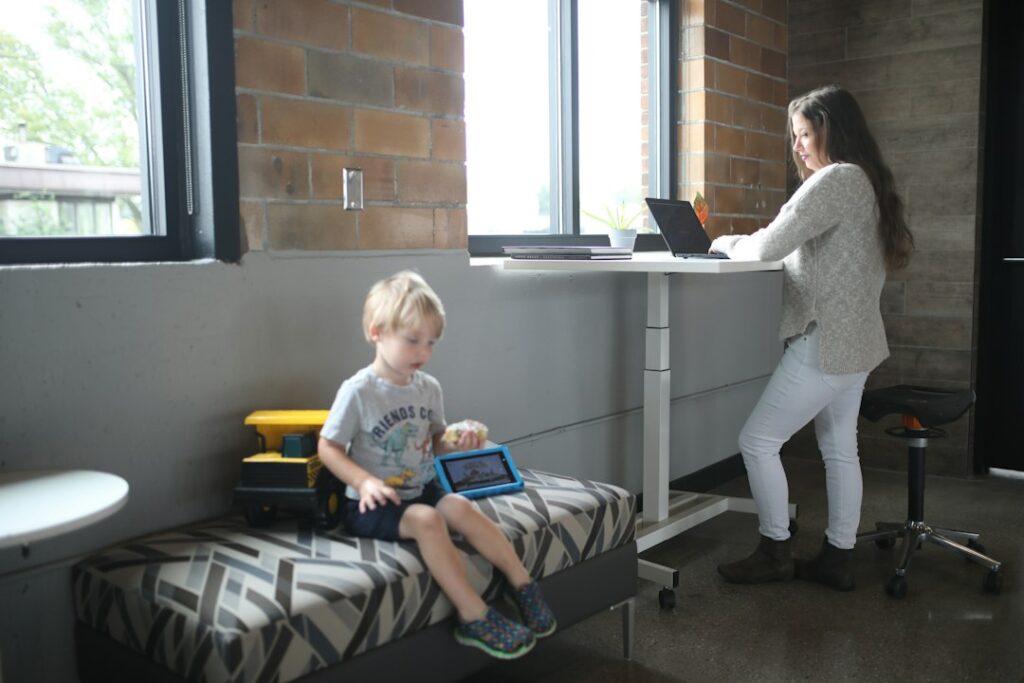
Why ergonomics matters for students
Ergonomics is the practice of arranging a workspace, backpack, and daily habits so the body can work comfortably with less unnecessary strain. For children and students, good ergonomics is less about holding a rigid “perfect posture” and more about creating a setup that supports movement, balanced positioning, and regular breaks.
Students in Stony Point may complete schoolwork at a desk, kitchen table, bedroom workstation, library table, or shared family space. Each setting can work well if the child can see the materials clearly, keep the body supported, and change positions throughout the day.
Poor setup does not automatically cause an injury, but repeated slouching, twisting, reaching, or carrying excessive weight may contribute to neck, shoulder, wrist, back, or hip discomfort. These concerns are often relevant when families ask a chiropractor or another health professional about posture and everyday strain.
How should a child sit while doing homework?
A child should sit with the head balanced over the torso, shoulders relaxed, elbows near the body, and both feet supported whenever possible. The back should be supported by the chair, while the knees remain comfortably bent rather than pressed tightly against the desk.
A practical seated arrangement includes:
- Feet flat on the floor or supported by a stable footrest
- Hips positioned toward the back of the chair
- Knees roughly level with or slightly lower than the hips
- Forearms resting comfortably, with wrists relatively straight
- Shoulders relaxed rather than lifted toward the ears
- Work materials close enough that the child does not lean forward repeatedly
Children grow quickly, so a setup that worked in September may need adjustment by winter. In homes with younger children, a folded blanket or firm cushion may help raise the child safely, provided the seat remains stable and the feet are still supported.
Posture should not be treated as a discipline issue. Children naturally move, fidget, lean, and shift while concentrating. Frequent movement is generally more helpful than demanding that a child remain perfectly still.
What is the best desk and screen setup?
The screen should be directly in front of the student, not positioned far to one side. The top of a monitor is usually most comfortable at or slightly below eye level, allowing the child to look forward without lifting the chin or bending the neck sharply downward.
Laptops create a common challenge because the keyboard and screen are attached. Raising the laptop on sturdy books can bring the screen closer to eye level, but the keyboard may then become too high for comfortable typing. For longer assignments, a separate keyboard and pointing device can allow the screen and hands to be positioned more appropriately.
A few simple adjustments can help:
- Keep the screen about an arm’s length away, adjusting for the child’s vision and comfort.
- Place printed work on a stand or angled surface instead of flat on the desk when possible.
- Keep the mouse or trackpad close so the child does not reach repeatedly.
- Leave enough room under the desk for the legs to move freely.
- Reduce glare from windows or overhead lighting.
- Avoid using a laptop for long assignments while lying on a bed, couch, or soft chair.
A comfortable study area does not need expensive furniture. A stable table, supportive chair, properly placed screen, and adequate lighting are usually more useful than specialized accessories.
How often should students take breaks?
Students should change position regularly rather than sitting continuously for long periods. A short movement break can include standing, walking to get water, stretching the arms, or looking away from the screen.
For younger children, movement can be built naturally into homework by alternating reading, writing, and standing activities. Older students may benefit from setting a quiet reminder to stand or move every 30 to 45 minutes, especially during extended computer assignments or gaming sessions.
Breaks also support the eyes. Looking at something farther away for a short period can reduce the tendency to stare continuously at a nearby screen. Blinking normally, adjusting brightness, and using comfortable room lighting may help reduce eye fatigue.
A break should involve more than switching from a school computer to a phone. Standing, walking, or briefly engaging in an activity away from screens gives the neck, shoulders, eyes, and hands a genuine change.
How should a backpack fit?
A backpack should sit evenly on the back with both shoulder straps used. The bottom should rest near the child’s waist rather than hanging well below the hips. A bag that is too low, overloaded, or carried on one shoulder can increase strain on the neck, shoulders, and back.
Families can improve backpack comfort by:
- Packing only the materials needed for that day
- Placing heavier items close to the child’s back
- Using both shoulder straps
- Tightening the straps so the bag stays close to the body
- Choosing a bag with padded straps and several compartments
- Removing unnecessary sports equipment, books, and personal items
- Checking the backpack regularly as school schedules change

A commonly used guideline is to keep the loaded backpack near 10% to 15% of the child’s body weight. The lower end is preferable when a child already has discomfort, difficulty walking upright, or trouble putting the bag on and taking it off.
A child who must lean forward, twist, avoid stairs, or complain of shoulder pain while wearing the bag may be carrying too much or using an improper fit.
What about reading, writing, and handheld devices?
Reading on the floor or bed may feel comfortable for a short time, but long periods in those positions often place the neck in a sustained downward bend. A lap desk, angled book stand, or table can help bring reading material higher.
Writing surfaces should allow the student to sit close without hunching over. If the table is too high, the shoulders may lift and the wrists may bend awkwardly. If it is too low, the child may fold forward through the upper back.
For tablets and phones, encourage use at a higher viewing position when practical. Holding a device near the lap for extended periods can create a “head-down” posture. The goal is not to eliminate handheld devices but to vary how they are used and to include regular movement.
When does discomfort need more attention?
Occasional tiredness after a long school day is different from pain that persists, worsens, or interferes with normal activities. Families should pay closer attention to symptoms that:
- Continue despite changes to the workspace and rest
- Wake a child during the night
- Include numbness, tingling, weakness, or loss of coordination
- Follow a fall, collision, or other injury
- Cause a child to avoid schoolwork, sports, walking, or play
- Are accompanied by fever, unexplained weight loss, or significant illness
In these situations, medical evaluation may be appropriate. A chiropractor can be one part of a broader health-care discussion about movement, posture, and musculoskeletal discomfort, but persistent or unusual symptoms may also require assessment by a pediatric clinician.
Seasonal routines can affect ergonomics in the community. During colder months, children may spend more time indoors at homework stations, gaming setups, and kitchen tables. During warmer weather, outdoor play and active movement may naturally break up sitting time. Adjusting the indoor study area and preserving opportunities for movement can help students stay comfortable throughout the school year.
